Original: $108.06
-65%$108.06
$37.82The Story
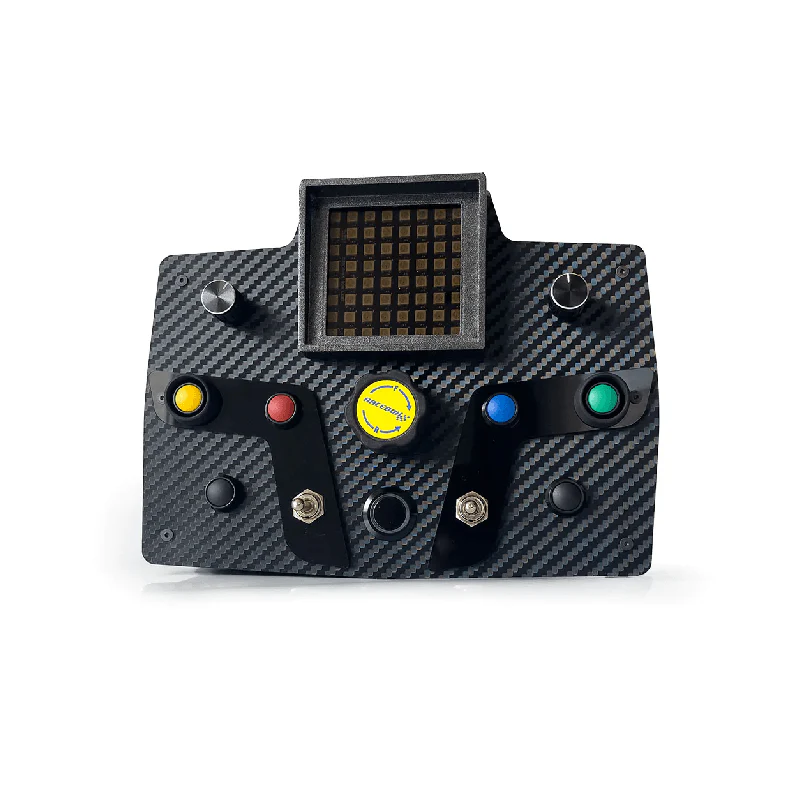
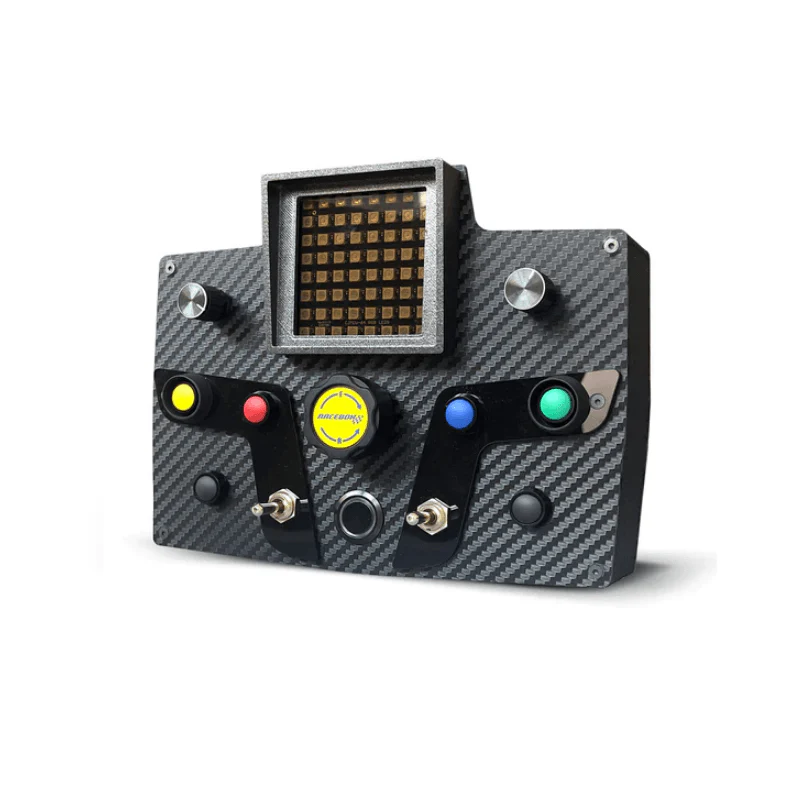
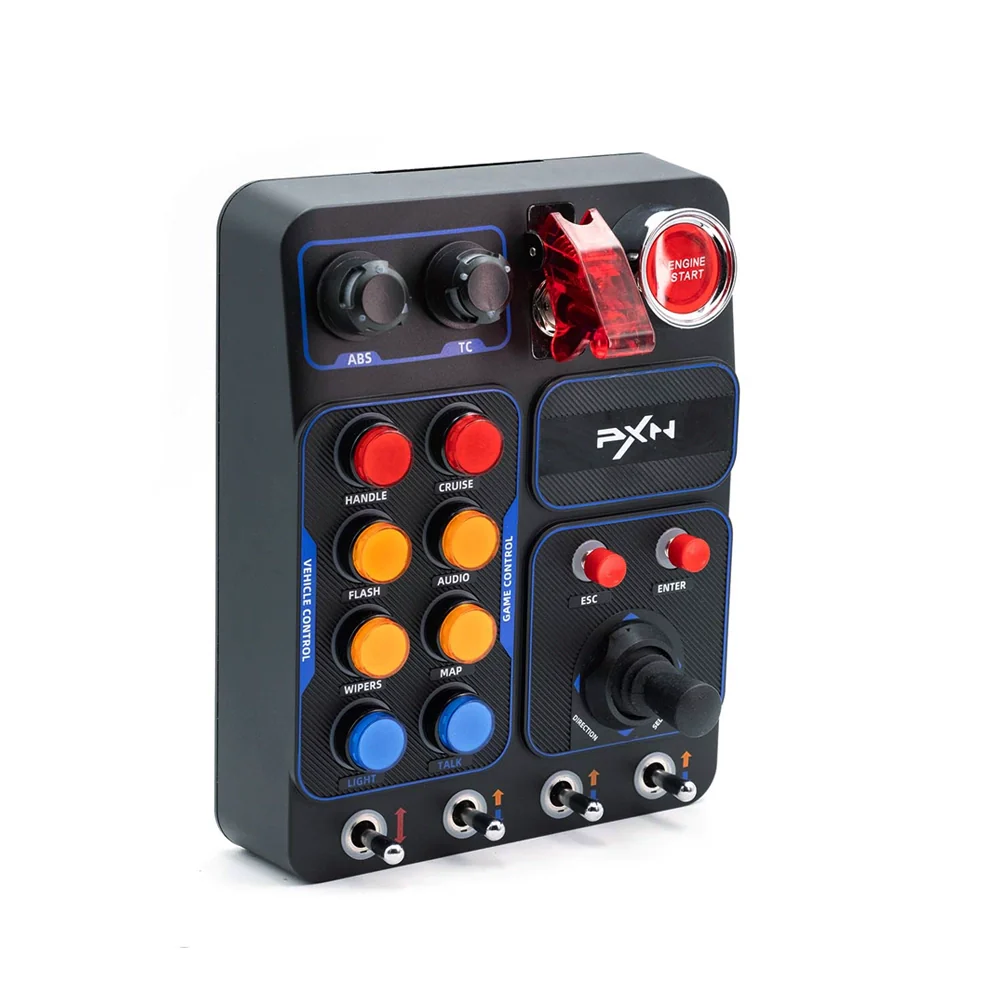
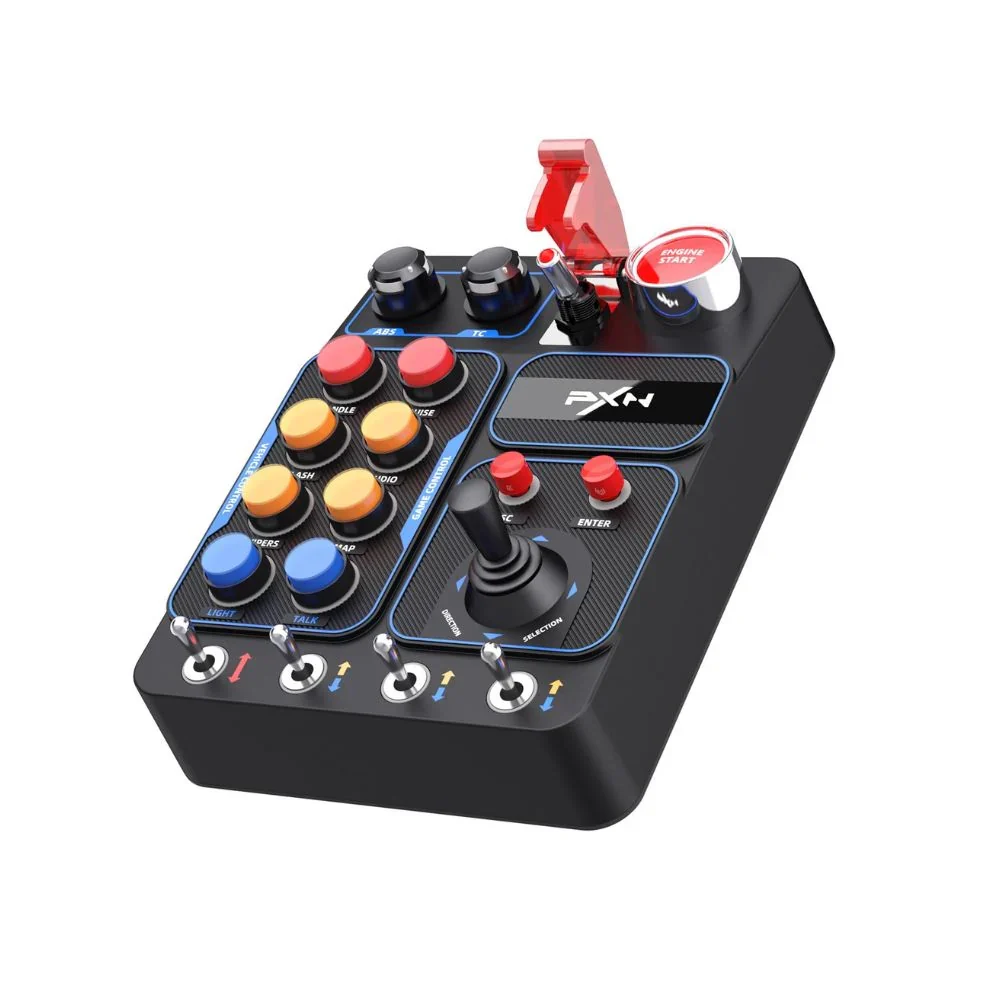
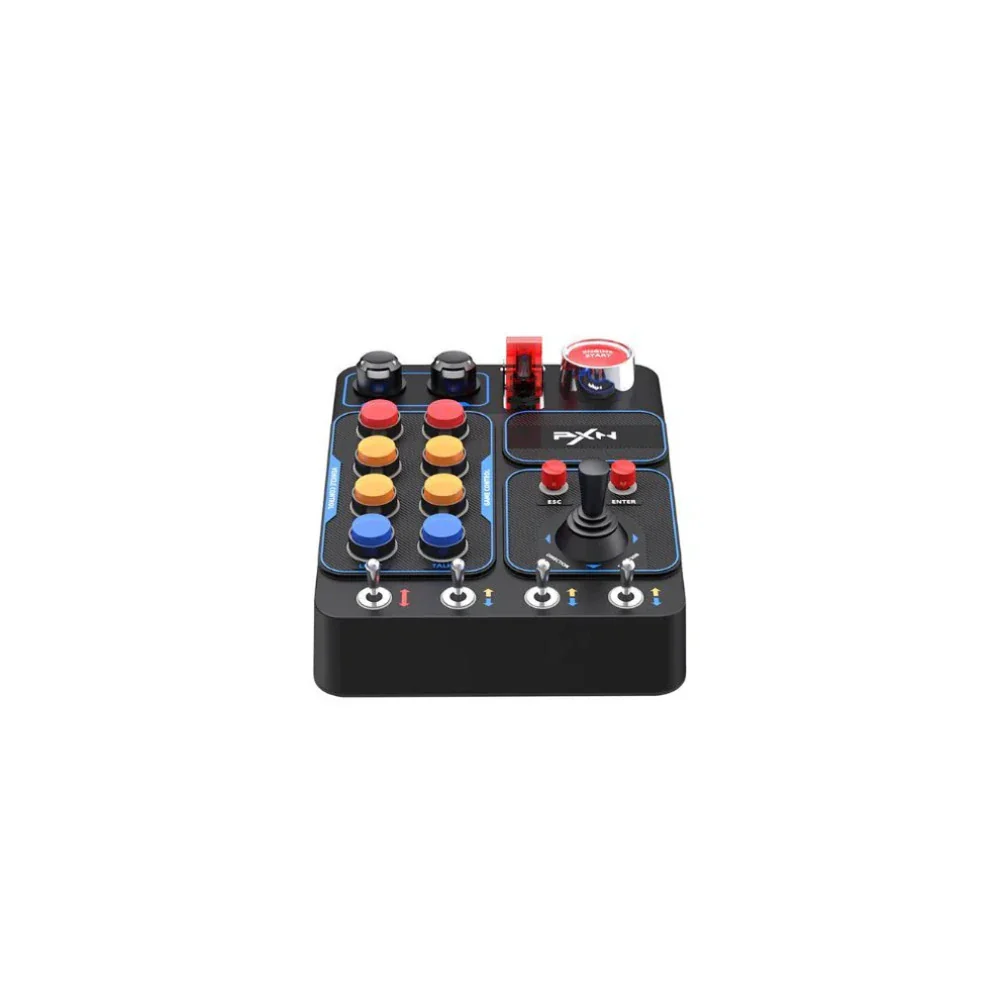
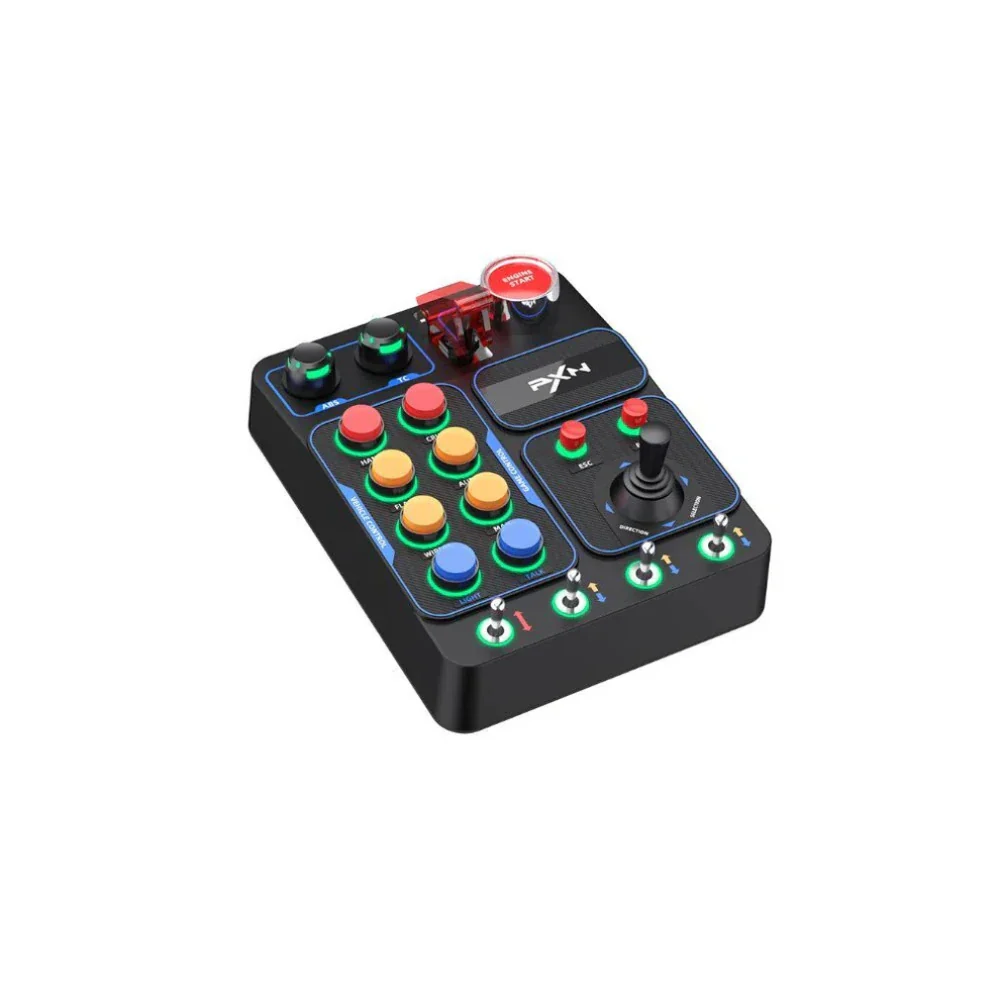
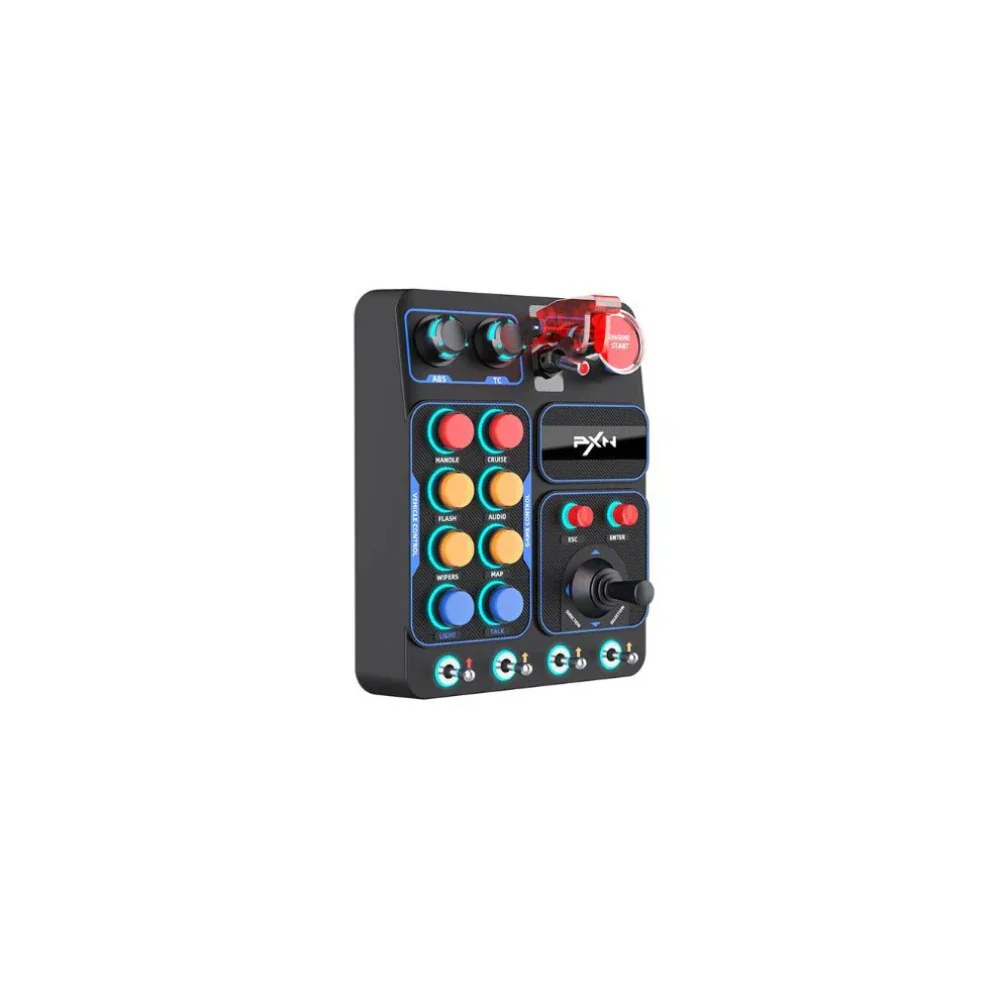
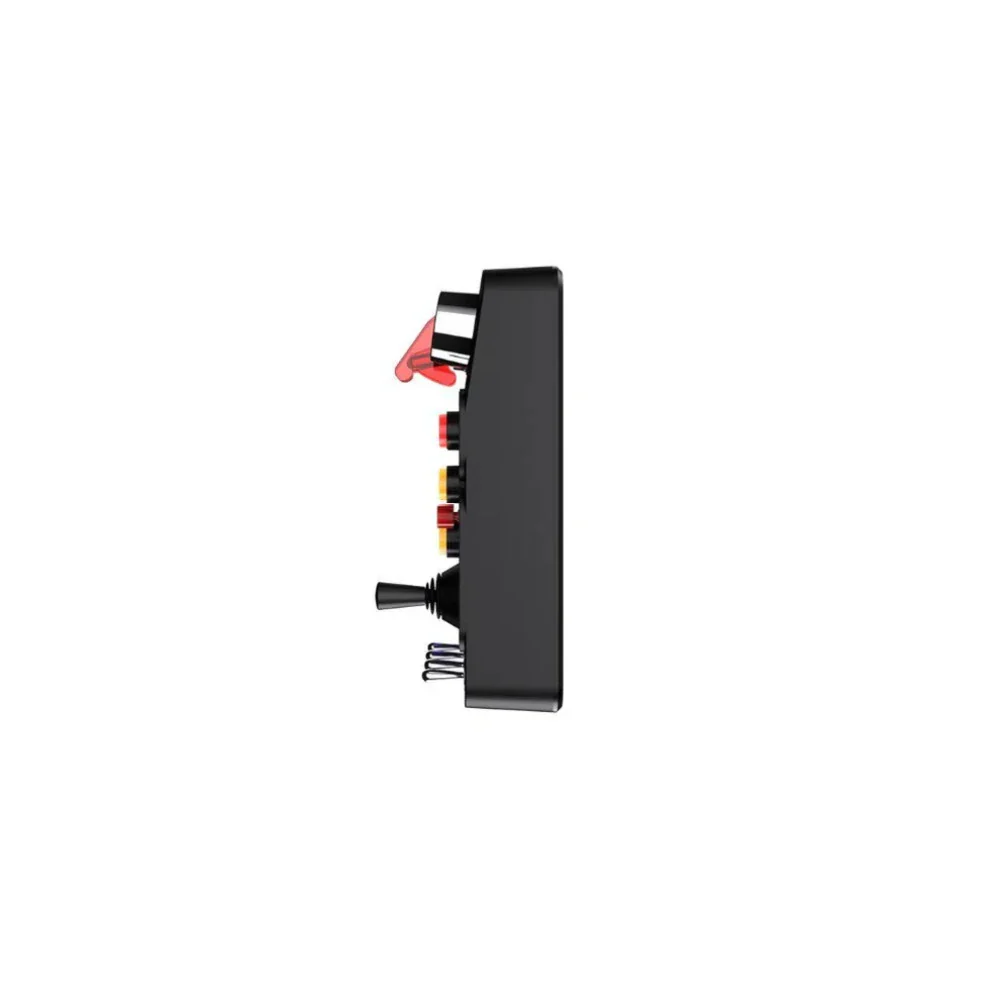
PXN CB1 Programmable Control Box Black For PC
Key Features
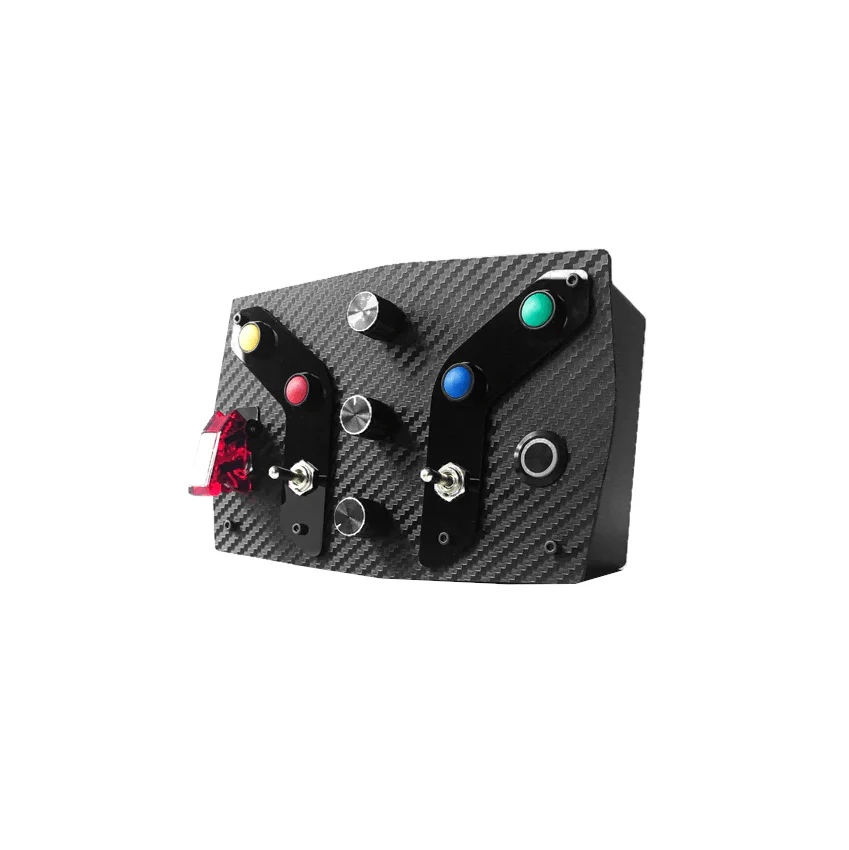
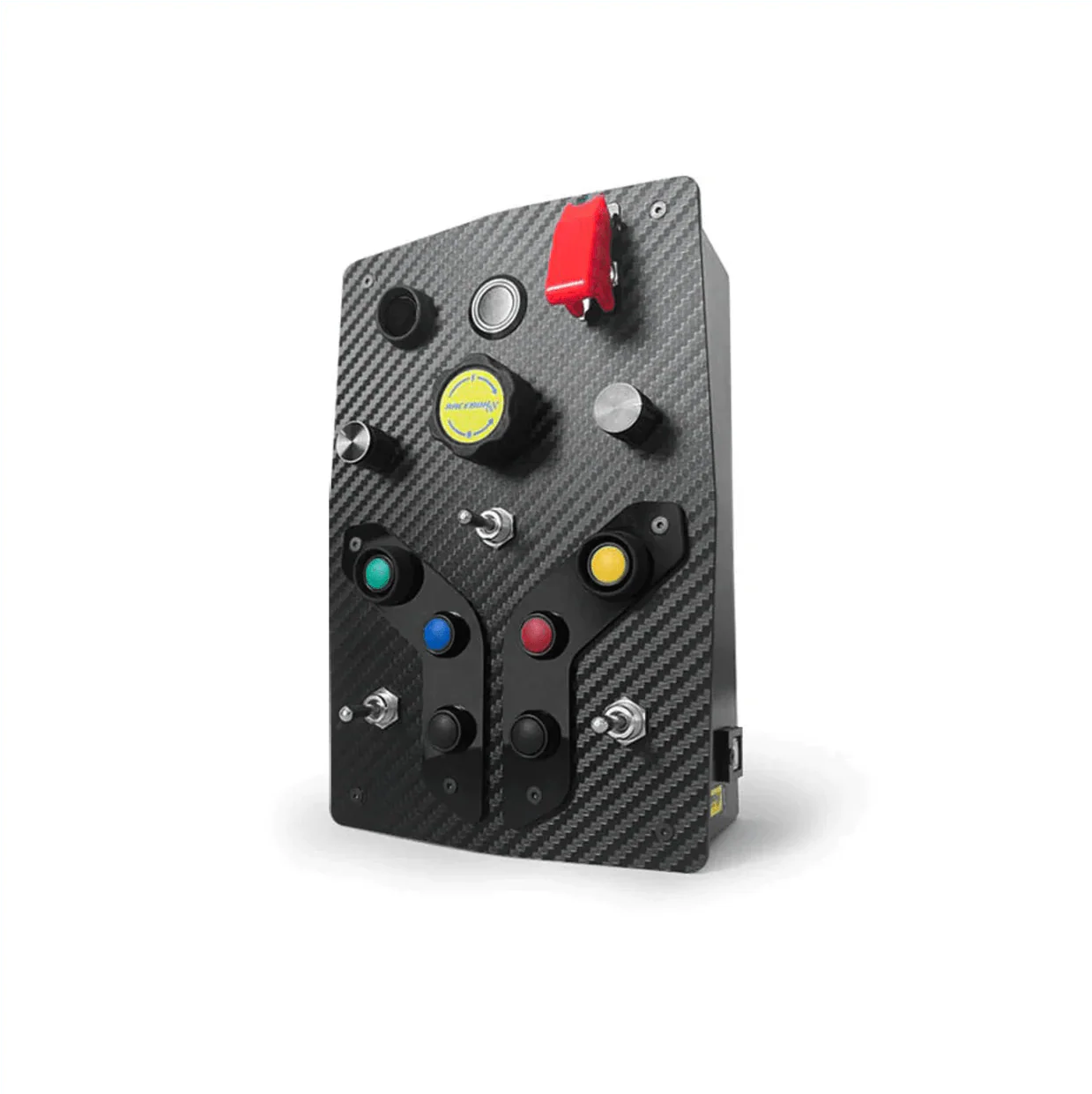
30 Fully Programmable Inputs
Map any in-game function to any button — engine start, pit limiter, lights, wipers, cruise control, traction control, ABS bias, camera changes and more. Every input is configurable inside your simulator's controller settings.
9 Distinct Switch Types
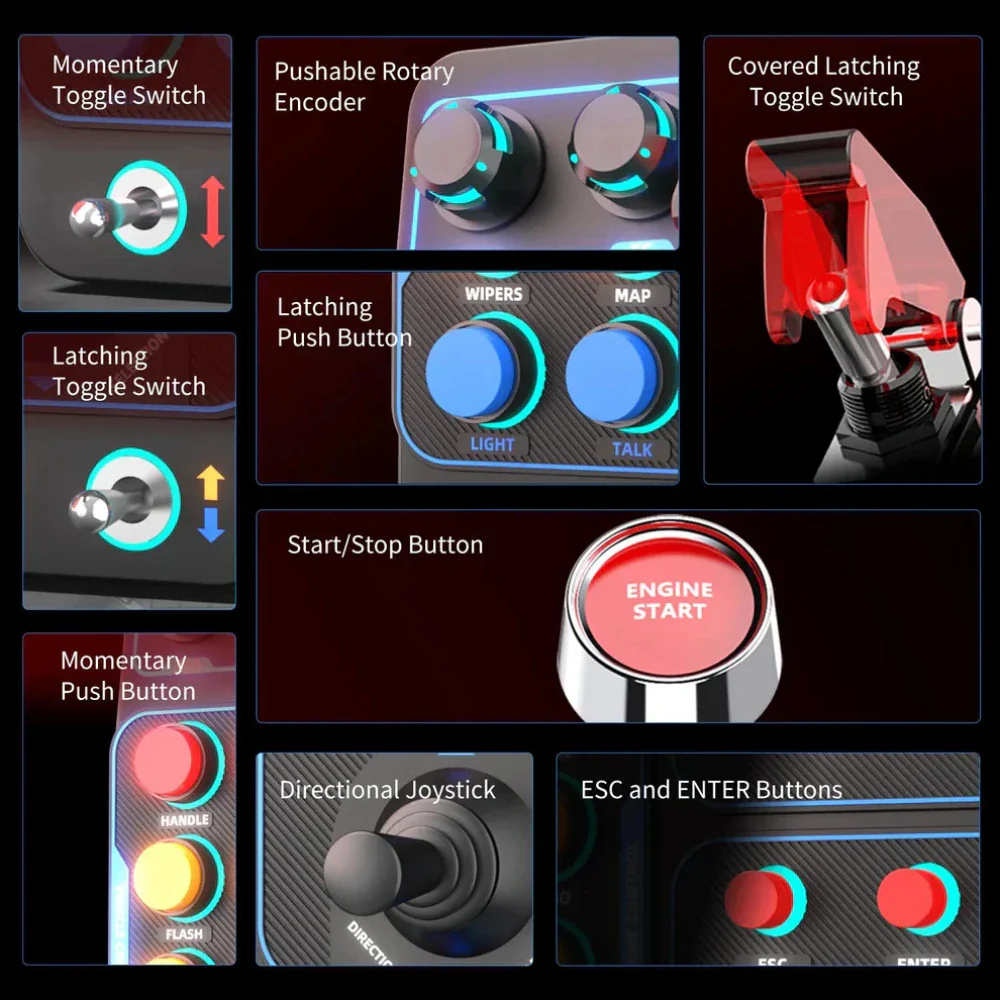
A genuinely varied layout means every action gets the right control type — rotary encoders for graduated adjustments, toggles for on/off states, momentary buttons for one-press commands, and a joystick for multi-directional inputs.
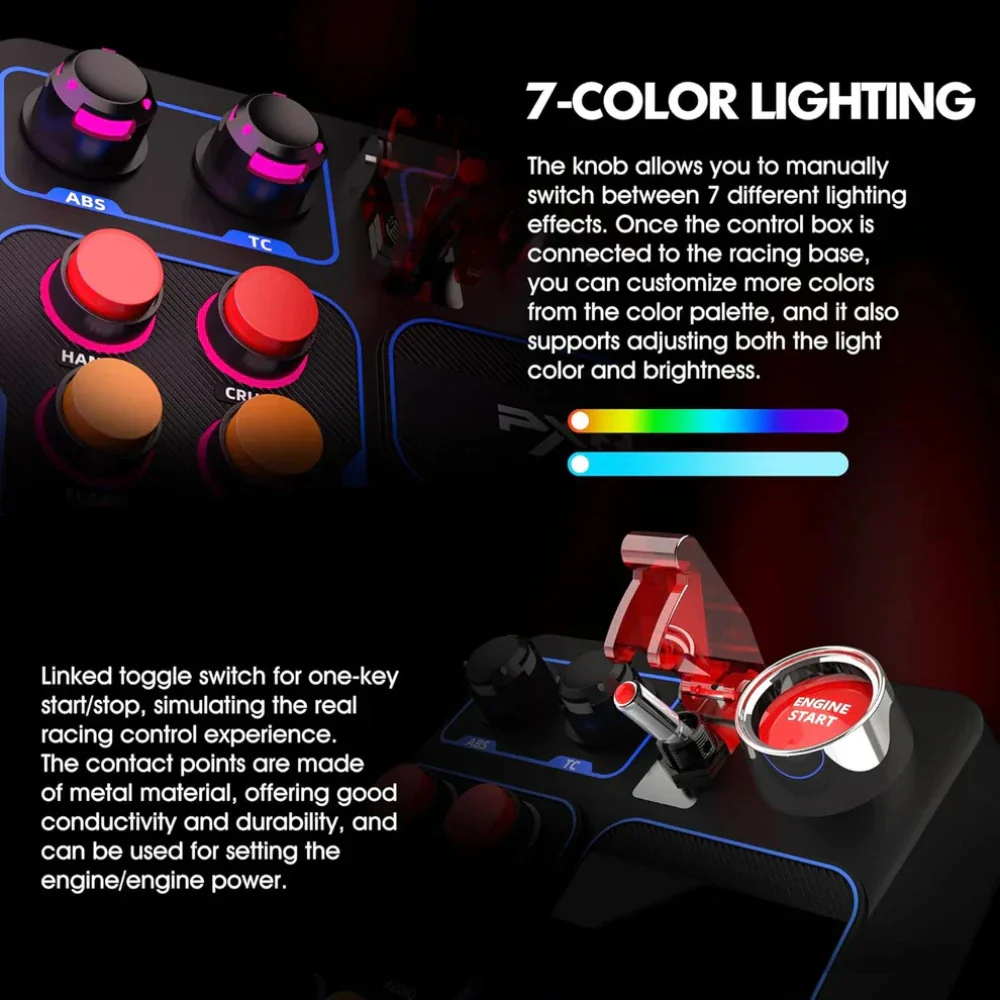
RGB Backlighting with 7 Colours
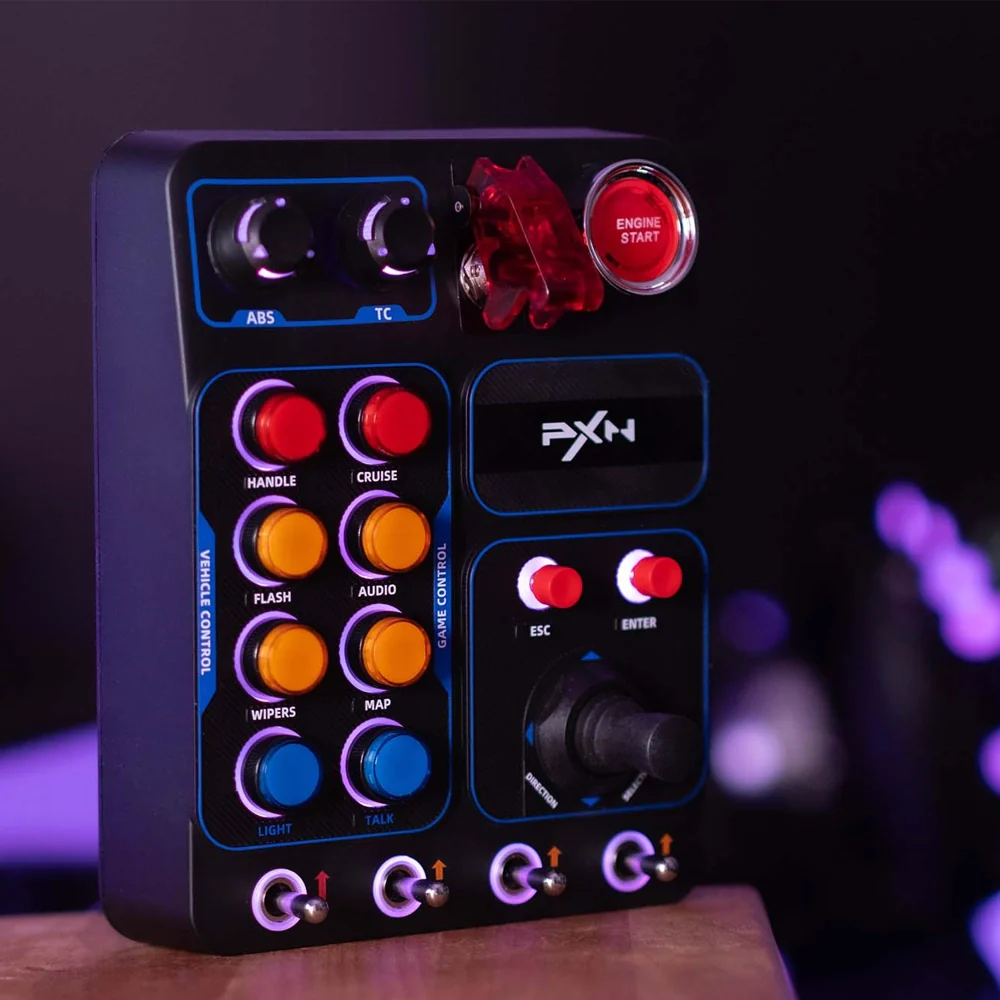
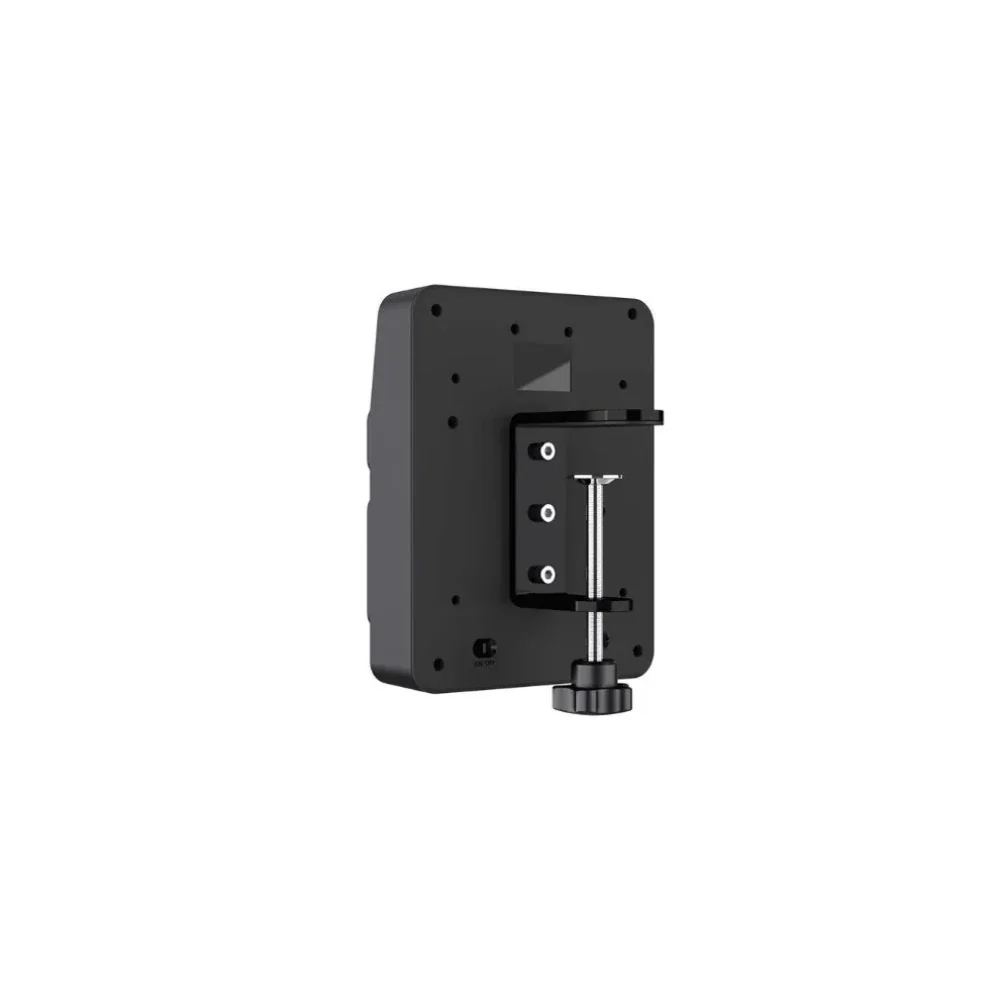
All buttons (except the joystick) feature individual RGB halo lighting. Cycle through 7 colour modes and adjust brightness on-device using the HANDLE + ABS / TC knob combination. A rear power switch kills all lighting instantly.
True Plug-and-Play USB-C
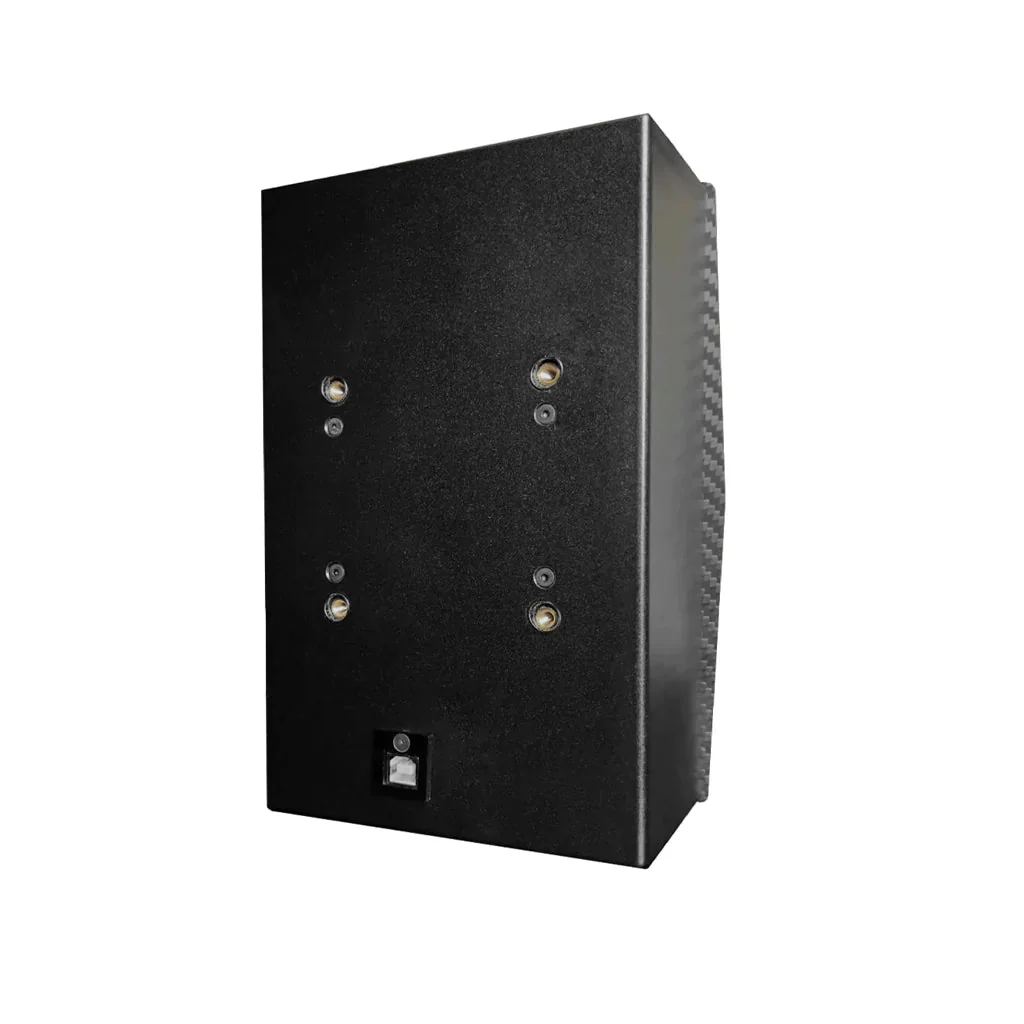
No drivers, no companion software, no configuration files. Windows recognises the CB1 as a standard game controller the moment it's plugged in. Two cables are included — a 1m USB-C to USB-C and a 2m USB-C to USB-A.
Flexible VESA & Clamp Mounting
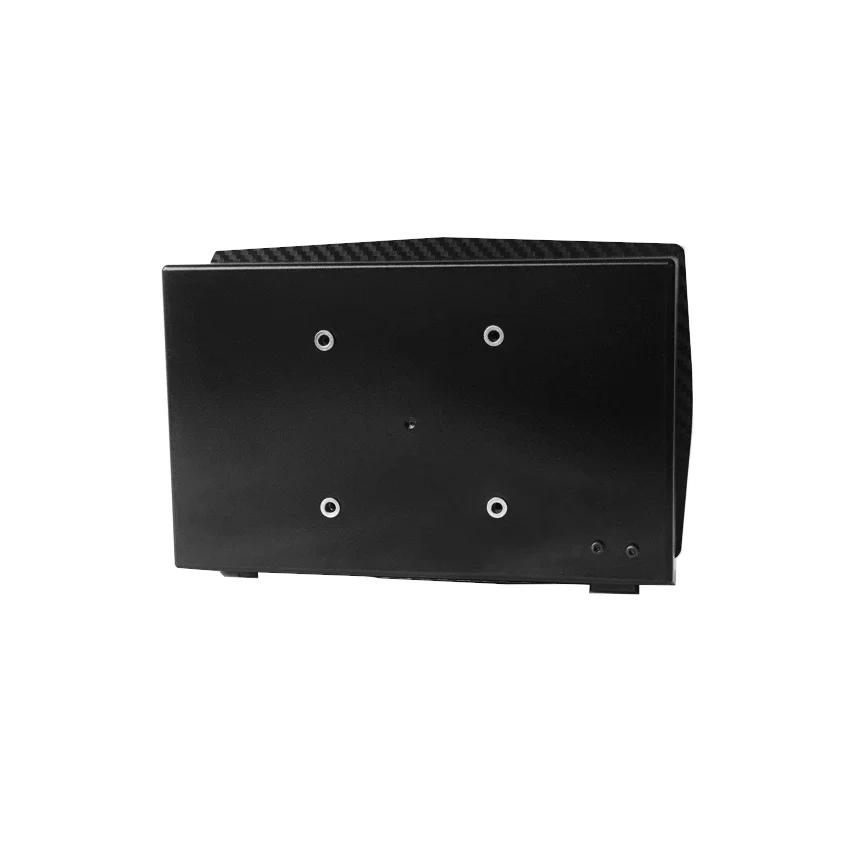
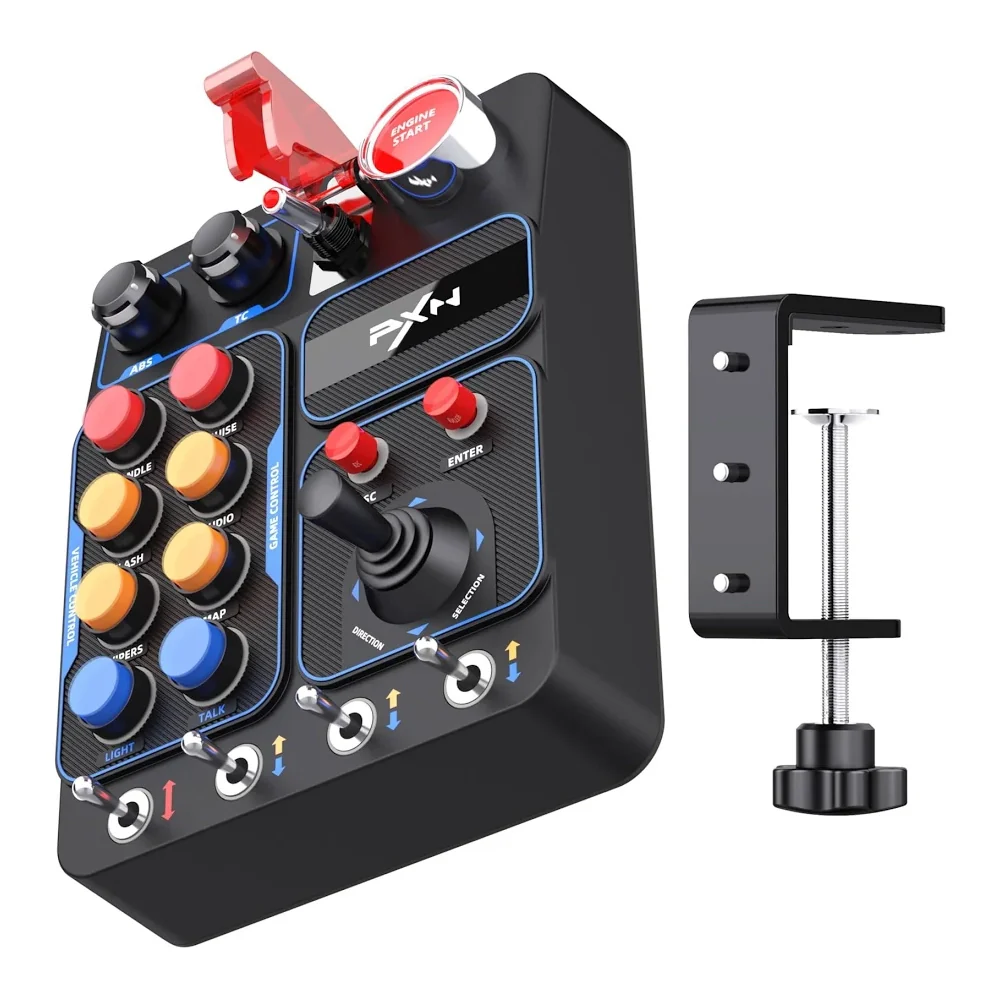
Nine rear threaded metal insert holes support VESA 100×100 screw mounting for rig profiles. The included desk clamp handles surfaces up to 70mm thick. Fits virtually any cockpit, wheel stand or gaming desk setup.
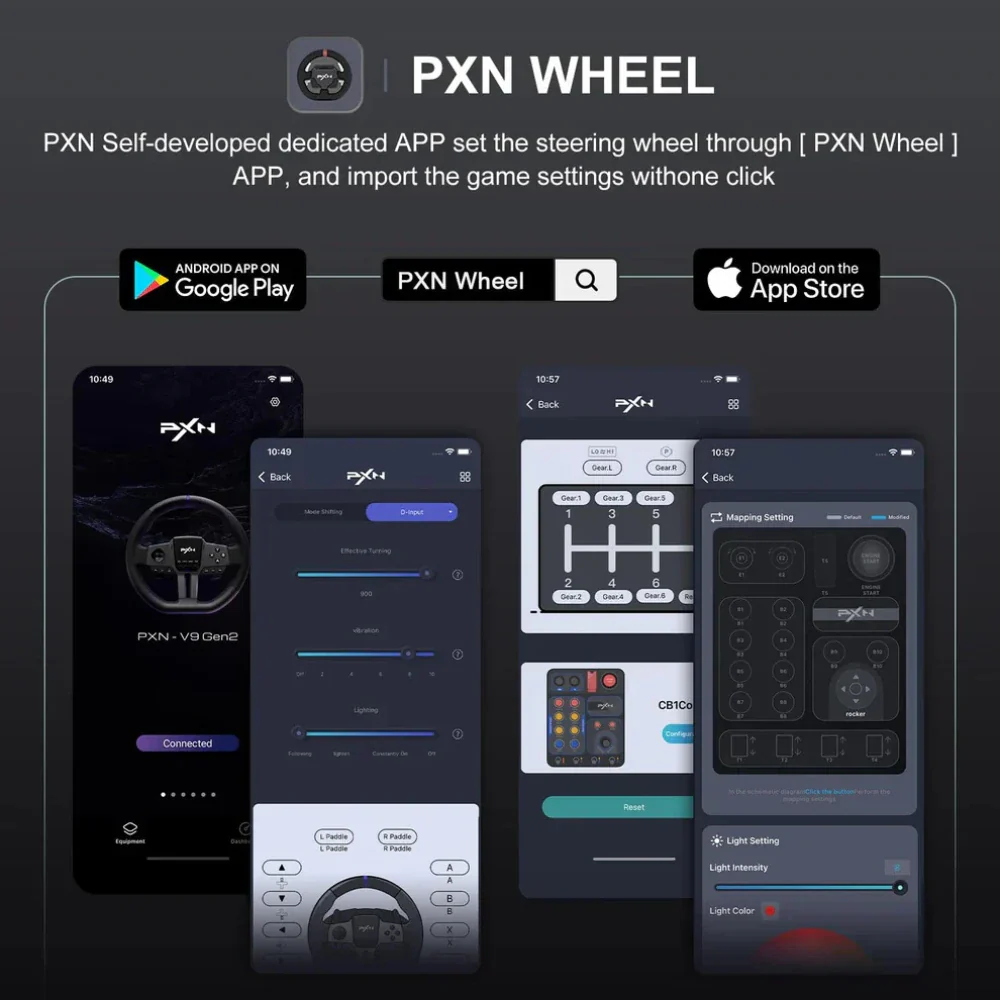
Direct PXN Wheel Integration
Connects directly to PXN V9 GEN2, VD4, VD6, VD10, V10 PRO and V10 Ultra wheel bases via optional C2C cable, bypassing the PC entirely for a cleaner cockpit cable run.
Linked Ignition System
The covered kill switch and Engine Start button work together to simulate a real ignition sequence — arm the kill switch first, then hit Engine Start. Both LEDs illuminate in sequence for a satisfying, immersive startup ritual.
Hidden Multimedia Controls
The TC and ABS rotary knobs double as multimedia controllers by default — adjust volume or skip tracks without switching focus. Hold HANDLE and press ESC or ENTER to toggle them between multimedia and fully mappable button modes.
Full Switch Layout
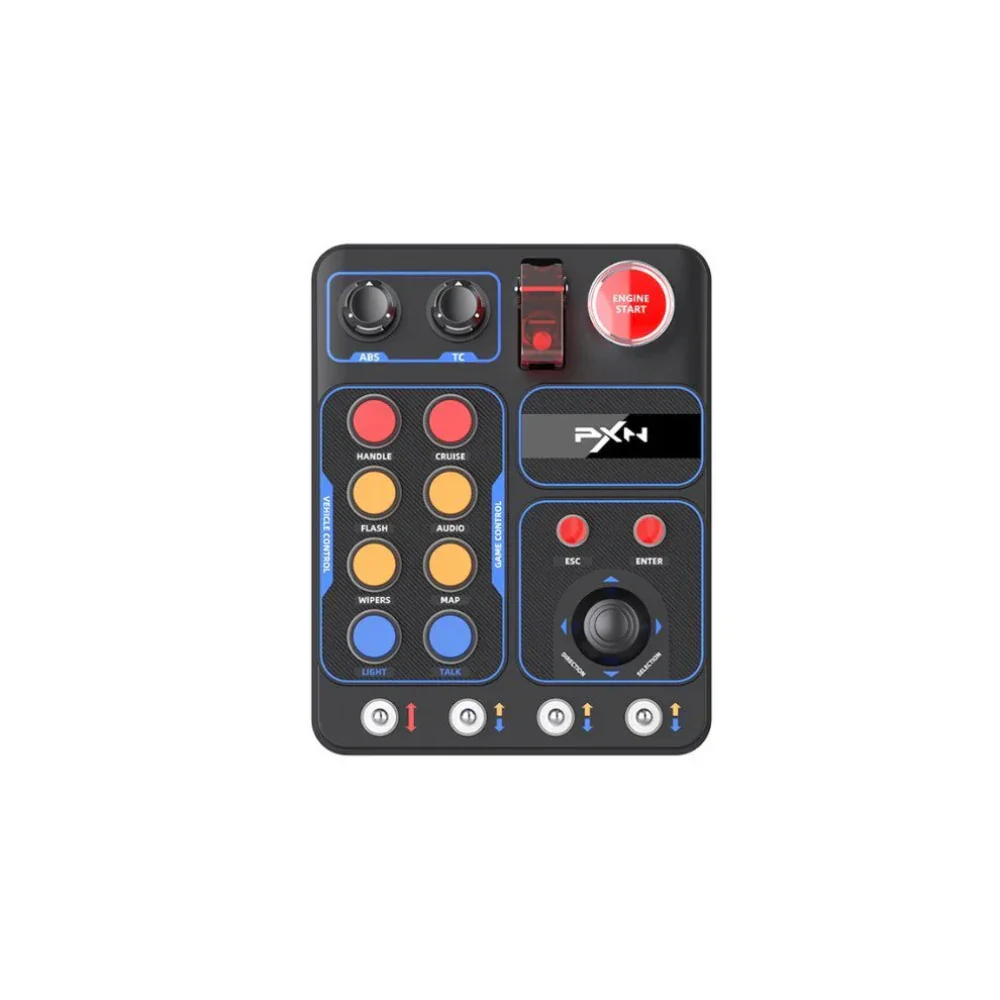
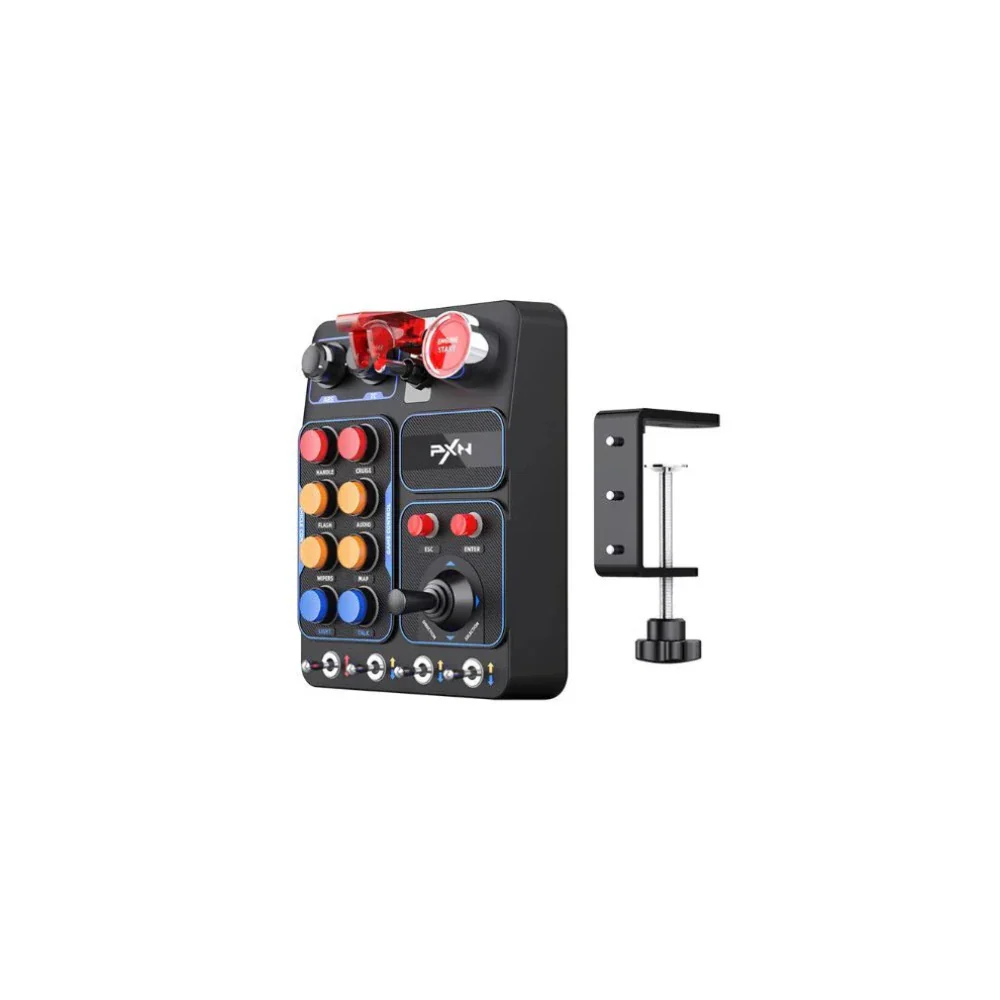
19 physical controls across 9 types provide up to 30 programmable inputs:
- 2× Pushable Rotary Encoders (TC & ABS)
- 6× Momentary Push Buttons
- 2× Latching Push Buttons
- 1× Covered Toggle Switch (Kill Switch)
- 1× Engine Start Button
- 1× ESC Button (remappable)
- 1× ENTER Button (remappable)
- 1× 4-Way Directional Joystick (8 inputs)
- 1× Momentary Toggle Switch
- 3× Latching Toggle Switches
Specifications
| Model | PXN CB1 |
| Total Programmable Inputs | 30 |
| Physical Controls | 19 across 9 switch types |
| RGB Lighting | 7 colour modes, adjustable brightness, rear on/off switch |
| Connection | USB Type-C (plug-and-play, no drivers) |
| Cables Included | USB-C to USB-C (100cm) + USB-C to USB-A (200cm) |
| Operating Voltage | 5V DC |
| Max Current Draw | 300mA |
| Dimensions | 184 × 144 × 78.5 mm (7.2 × 5.7 × 3.1 in) |
| Weight | 540g (1.2 lb) |
| Housing Material | ABS Plastic with carbon-style finish |
| Switch Material | Metal |
| Mounting | Desk clamp (≤70mm) or VESA 100×100 (9× threaded metal inserts) |
| Platform | PC — Windows 10 / 11 only (no console support) |
| PXN Wheel Compatibility | V9 GEN2, VD4, VD6, VD10, V10 PRO, V10 Ultra (C2C cable sold separately) |
| Operating Temperature | 10–40°C |
| Operating Humidity | 20–80% RH |
| Warranty | 12 Months |
Compatible Simulators
The CB1 is recognised by Windows as a standard USB HID game controller and works with any PC simulator that supports custom button mapping. Verified compatible titles include:
Works with any game that accepts USB HID game controller input. Contact us if you need confirmation for a specific title.
How Sim Racers Use the CB1
Map pit limiter, DRS, engine modes, brake bias, rain lights and dash page cycling — all reachable without leaving the wheel.
Assign turn signals, wipers, high beams, horn, parking brake, cruise control and implement controls for a realistic cab experience.
Use toggles and the joystick to control avionics, radio frequencies, autopilot and landing gear — excellent alongside a basic HOTAS setup.
Assign keyboard shortcuts in Premiere Pro, DaVinci Resolve, OBS or any app that accepts hotkeys — a versatile macro pad beyond gaming.
What's in the Box
- PXN CB1 Control Box
- USB-C to USB-C Cable (100cm)
- USB-C to USB-A Cable (200cm)
- Desk Clamp Mount + Hardware
- Printed Instruction Manual
Frequently Asked Questions
Does the PXN CB1 work on PlayStation or Xbox?
No. The CB1 is a PC-only device and is not compatible with PlayStation, Xbox or any other console. It requires Windows 10 or 11.
Do I need to install any drivers or software?
No. The CB1 is fully plug-and-play. Connect it via USB-C and Windows immediately recognises it as a game controller. Button mapping is done directly inside your simulator's controller settings — no third-party software is needed.
Will it fit my sim rig or wheel stand?
Very likely, yes. The CB1 supports two mounting methods: the included desk clamp works on surfaces up to 70mm thick, and nine rear threaded metal insert holes accept VESA 100×100 screws, making it compatible with most aluminium profile rigs, Sim-Lab, Next Level Racing and similar wheel stands.
Can it connect directly to my PXN wheel base?
Yes. Using an optional C2C cable (sold separately), the CB1 connects directly to PXN V9 GEN2, VD4, VD6, VD10, V10 PRO and V10 Ultra wheel bases. Set your wheel to D-INPUT mode before connecting.
How do I change the RGB lighting colour?
Hold the HANDLE button and turn the ABS rotary knob to cycle through 7 colour modes. Hold HANDLE and turn the TC rotary knob to adjust brightness from off to maximum. A physical on/off switch on the rear lets you disable all lighting instantly.
How many inputs does the CB1 actually have?
There are 19 physical controls providing up to 30 programmable inputs. The 4-way joystick alone registers as 8 directional inputs, and the TC/ABS rotary encoders each register both rotation and a push-click. The ESC and ENTER buttons can also be remapped from keyboard keys to game controller buttons for two additional in-game inputs.
Is the PXN CB1 worth it compared to more expensive button boxes?
The CB1 is widely regarded as one of the best-value button boxes under $150 AUD. Reviewers highlight its solid build quality, versatile switch layout, satisfying tactile feedback and genuine plug-and-play experience as standout positives at its price point. Premium alternatives exist at 3–4× the price, but for most sim racers the CB1 delivers everything they need without compromise on functionality.
Details & Craftsmanship
Every detail has been carefully considered to bring you the perfect product.
Details & Craftsmanship
Every detail has been carefully considered to bring you the perfect product.
Details & Craftsmanship
Every detail has been carefully considered to bring you the perfect product.
Details & Craftsmanship
Every detail has been carefully considered to bring you the perfect product.
Details & Craftsmanship
Every detail has been carefully considered to bring you the perfect product.
Details & Craftsmanship
Every detail has been carefully considered to bring you the perfect product.
Details & Craftsmanship
Every detail has been carefully considered to bring you the perfect product.
Details & Craftsmanship
Every detail has been carefully considered to bring you the perfect product.
Details & Craftsmanship
Every detail has been carefully considered to bring you the perfect product.
Details & Craftsmanship
Every detail has been carefully considered to bring you the perfect product.
Details & Craftsmanship
Every detail has been carefully considered to bring you the perfect product.
Details & Craftsmanship
Every detail has been carefully considered to bring you the perfect product.
Details & Craftsmanship
Every detail has been carefully considered to bring you the perfect product.
Description
PXN CB1 Programmable Control Box Black For PC
Key Features
30 Fully Programmable Inputs
Map any in-game function to any button — engine start, pit limiter, lights, wipers, cruise control, traction control, ABS bias, camera changes and more. Every input is configurable inside your simulator's controller settings.
9 Distinct Switch Types
A genuinely varied layout means every action gets the right control type — rotary encoders for graduated adjustments, toggles for on/off states, momentary buttons for one-press commands, and a joystick for multi-directional inputs.
RGB Backlighting with 7 Colours
All buttons (except the joystick) feature individual RGB halo lighting. Cycle through 7 colour modes and adjust brightness on-device using the HANDLE + ABS / TC knob combination. A rear power switch kills all lighting instantly.
True Plug-and-Play USB-C
No drivers, no companion software, no configuration files. Windows recognises the CB1 as a standard game controller the moment it's plugged in. Two cables are included — a 1m USB-C to USB-C and a 2m USB-C to USB-A.
Flexible VESA & Clamp Mounting
Nine rear threaded metal insert holes support VESA 100×100 screw mounting for rig profiles. The included desk clamp handles surfaces up to 70mm thick. Fits virtually any cockpit, wheel stand or gaming desk setup.
Direct PXN Wheel Integration
Connects directly to PXN V9 GEN2, VD4, VD6, VD10, V10 PRO and V10 Ultra wheel bases via optional C2C cable, bypassing the PC entirely for a cleaner cockpit cable run.
Linked Ignition System
The covered kill switch and Engine Start button work together to simulate a real ignition sequence — arm the kill switch first, then hit Engine Start. Both LEDs illuminate in sequence for a satisfying, immersive startup ritual.
Hidden Multimedia Controls
The TC and ABS rotary knobs double as multimedia controllers by default — adjust volume or skip tracks without switching focus. Hold HANDLE and press ESC or ENTER to toggle them between multimedia and fully mappable button modes.
Full Switch Layout
19 physical controls across 9 types provide up to 30 programmable inputs:
- 2× Pushable Rotary Encoders (TC & ABS)
- 6× Momentary Push Buttons
- 2× Latching Push Buttons
- 1× Covered Toggle Switch (Kill Switch)
- 1× Engine Start Button
- 1× ESC Button (remappable)
- 1× ENTER Button (remappable)
- 1× 4-Way Directional Joystick (8 inputs)
- 1× Momentary Toggle Switch
- 3× Latching Toggle Switches
Specifications
| Model | PXN CB1 |
| Total Programmable Inputs | 30 |
| Physical Controls | 19 across 9 switch types |
| RGB Lighting | 7 colour modes, adjustable brightness, rear on/off switch |
| Connection | USB Type-C (plug-and-play, no drivers) |
| Cables Included | USB-C to USB-C (100cm) + USB-C to USB-A (200cm) |
| Operating Voltage | 5V DC |
| Max Current Draw | 300mA |
| Dimensions | 184 × 144 × 78.5 mm (7.2 × 5.7 × 3.1 in) |
| Weight | 540g (1.2 lb) |
| Housing Material | ABS Plastic with carbon-style finish |
| Switch Material | Metal |
| Mounting | Desk clamp (≤70mm) or VESA 100×100 (9× threaded metal inserts) |
| Platform | PC — Windows 10 / 11 only (no console support) |
| PXN Wheel Compatibility | V9 GEN2, VD4, VD6, VD10, V10 PRO, V10 Ultra (C2C cable sold separately) |
| Operating Temperature | 10–40°C |
| Operating Humidity | 20–80% RH |
| Warranty | 12 Months |
Compatible Simulators
The CB1 is recognised by Windows as a standard USB HID game controller and works with any PC simulator that supports custom button mapping. Verified compatible titles include:
Works with any game that accepts USB HID game controller input. Contact us if you need confirmation for a specific title.
How Sim Racers Use the CB1
Map pit limiter, DRS, engine modes, brake bias, rain lights and dash page cycling — all reachable without leaving the wheel.
Assign turn signals, wipers, high beams, horn, parking brake, cruise control and implement controls for a realistic cab experience.
Use toggles and the joystick to control avionics, radio frequencies, autopilot and landing gear — excellent alongside a basic HOTAS setup.
Assign keyboard shortcuts in Premiere Pro, DaVinci Resolve, OBS or any app that accepts hotkeys — a versatile macro pad beyond gaming.
What's in the Box
- PXN CB1 Control Box
- USB-C to USB-C Cable (100cm)
- USB-C to USB-A Cable (200cm)
- Desk Clamp Mount + Hardware
- Printed Instruction Manual
Frequently Asked Questions
Does the PXN CB1 work on PlayStation or Xbox?
No. The CB1 is a PC-only device and is not compatible with PlayStation, Xbox or any other console. It requires Windows 10 or 11.
Do I need to install any drivers or software?
No. The CB1 is fully plug-and-play. Connect it via USB-C and Windows immediately recognises it as a game controller. Button mapping is done directly inside your simulator's controller settings — no third-party software is needed.
Will it fit my sim rig or wheel stand?
Very likely, yes. The CB1 supports two mounting methods: the included desk clamp works on surfaces up to 70mm thick, and nine rear threaded metal insert holes accept VESA 100×100 screws, making it compatible with most aluminium profile rigs, Sim-Lab, Next Level Racing and similar wheel stands.
Can it connect directly to my PXN wheel base?
Yes. Using an optional C2C cable (sold separately), the CB1 connects directly to PXN V9 GEN2, VD4, VD6, VD10, V10 PRO and V10 Ultra wheel bases. Set your wheel to D-INPUT mode before connecting.
How do I change the RGB lighting colour?
Hold the HANDLE button and turn the ABS rotary knob to cycle through 7 colour modes. Hold HANDLE and turn the TC rotary knob to adjust brightness from off to maximum. A physical on/off switch on the rear lets you disable all lighting instantly.
How many inputs does the CB1 actually have?
There are 19 physical controls providing up to 30 programmable inputs. The 4-way joystick alone registers as 8 directional inputs, and the TC/ABS rotary encoders each register both rotation and a push-click. The ESC and ENTER buttons can also be remapped from keyboard keys to game controller buttons for two additional in-game inputs.
Is the PXN CB1 worth it compared to more expensive button boxes?
The CB1 is widely regarded as one of the best-value button boxes under $150 AUD. Reviewers highlight its solid build quality, versatile switch layout, satisfying tactile feedback and genuine plug-and-play experience as standout positives at its price point. Premium alternatives exist at 3–4× the price, but for most sim racers the CB1 delivers everything they need without compromise on functionality.